


Ejecting a CD from the player

Disc select buttons
1. Use the disc select button to select the disc to be ejected.
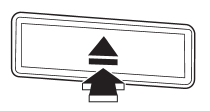
2. Briefly press the “ ” button. The
selected disc will be ejected. The disc number indicator will flash at this time.
When you remove the ejected disc, the disc number indicator will turn off. To remove
more discs in succession, repeat steps 1 and 2.
See also:
Air conditioner compressor shut-off when engine is heavily loaded
To improve acceleration and gas mileage, the air conditioner compressor is designed
to temporarily shut off during air conditioner operation whenever the accelerator
is fully depressed such as dur ...
Refueling
Only one person should be involved in refueling. Do not allow others to approach the area of the vehicle near the fuel filler pipe while refueling is in progress.
Be sure to observe any other precaut ...
Spark plugs
It may be difficult to replace the spark plugs. It is recommended that you have the spark plugs replaced by your SUBARU dealer.
The spark plugs should be replaced according to the maintenance sched ...