


Channel selection by pressing the button
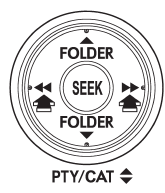
When in the SAT mode, briefly press the “SEEK” button “ ”
”
or “ ” to select the channel.
See also:
Loading all the magazine (full disc loading mode)
1. If you continue to press the “LOAD” button for more than 1.5 seconds, the player will produce beep sound and will enter the full disc loading mode.
2. When the disc number indicator flashes and “A ...
Unfastening the rear seatbelts seatbelt
Push the button on the buckle.
Before closing the door, make sure that the belts are retracted properly to avoid
catching the belt webbing in the door. ...
MT models
1. Apply the parking brake.
2. Turn off unnecessary lights and accessories.
3. Depress the clutch pedal to the floor and shift the shift lever into neutral.
Hold the clutch pedal to the floor whil ...