


Type B audio set (if equipped)
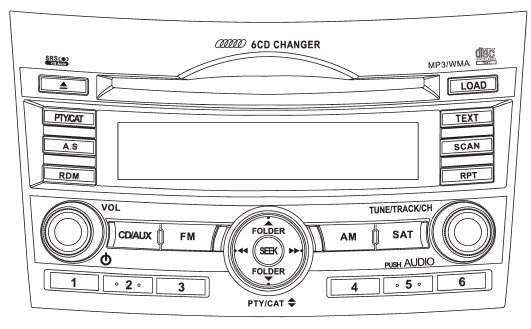
The audio set will operate only when the ignition switch is in the “Acc” or “ON” position.
● Power and sound controls: refer to page 5-6 ● Radio operation: refer to page 5-9 ● Satellite radio operation (if equipped): refer to page 5-13 ● CD (compact disc) player operation: refer to page 5-18 ● Auxiliary input jack: refer to page 5-28
See also:
If no steam is coming from the engine compartment
NOTE
For details about how to check the coolant level or how to add coolant, refer
to “Engine coolant” F11-17.
1. Keep the engine running at idling speed.
2. Open the hood to ventilate the engine ...
LOCK
The key can only be inserted or removed
in this position. The ignition switch will lock
the steering wheel when you remove the
key.
If turning the key is difficult, turn the
steering wheel sl ...
Mirrors
Always check that the inside and outside mirrors are properly adjusted before
you start driving. ...