


Station preset
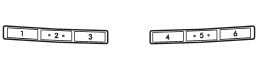
Preset buttons
See also:
Engine hood
To open the hood:
1. If the wiper blades are lifted off the windshield, return them to their original position.
2. Pull the hood release knob under the instrument panel.
3. Release the secondar ...
Types of tires
You should be familiar with type of tires present on your vehicle. ...
Wear indicators
1) New tread
2) Worn tread
3) Tread wear indicator
Each tire incorporates a tread wear indicator, which becomes visible when the
depth of the tread grooves decreases to 0.063 in (1.6 mm). A tir ...